
Your Dashboard
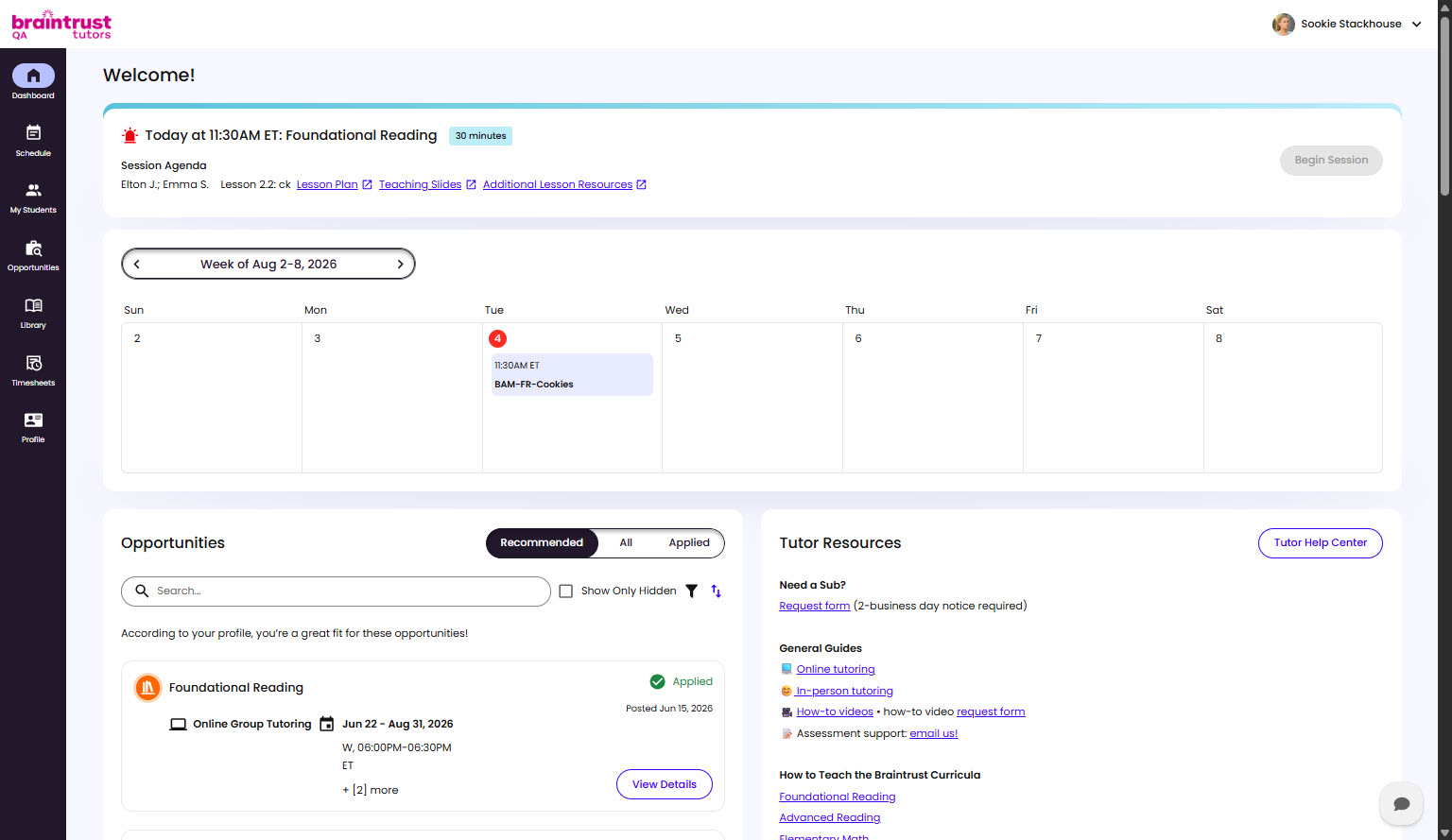
Your Dashboard is your home base. It opens to a “Welcome!” screen that pulls together what’s coming up and what you need to get to your Sessions.
The Next Session Card
At the top, the Next Session card highlights your upcoming Session - its time, program, agenda, and the button to begin. It’s the quickest way into your next Session. See The Next Session Card.
Your Schedule
Below that, your schedule shows the week’s Sessions laid out by time. Click a Session to open it. For the Month, Week, and Agenda views, see Reading Your Schedule.
Opportunities and Tutor Resources
The Dashboard also has an Opportunities panel, where you can see tutoring opportunities that are open to you, and a Tutor Resources panel with reference materials from Braintrust.