Session History and Talk Time
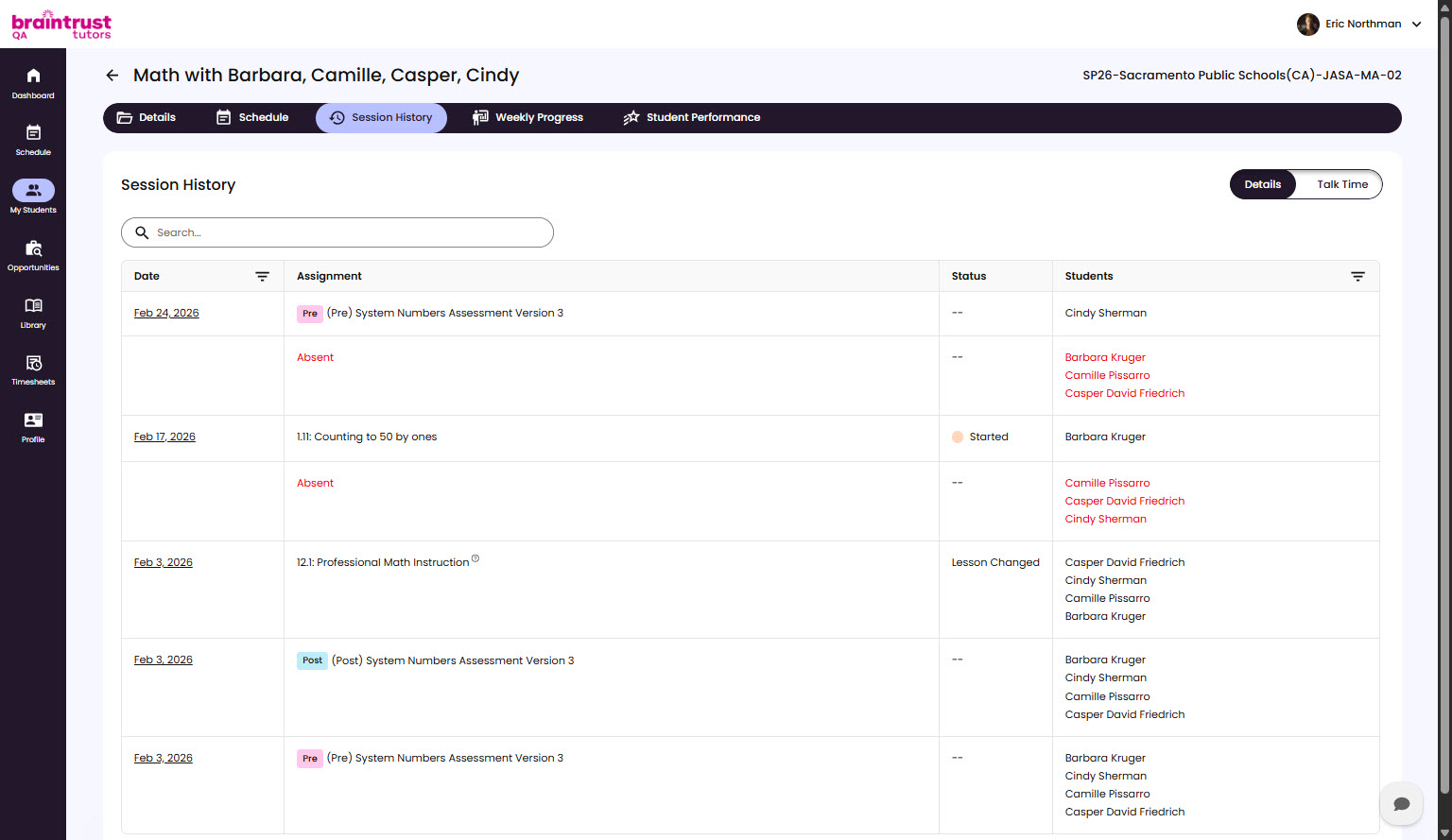
Session History is the record of a group’s past Sessions - what was taught, the status of each, and the observations you recorded. It also has a Talk Time tab that lets you check your talk ratio after a Session.
Reviewing Past Sessions
Open a group’s Session History to see its past Sessions in order. Each one shows the lesson that was covered and its status, and you can open a Session to reread the observations recorded for it. This is the place to catch up on what happened before, especially if you’re picking up a group someone else was working with.
The Talk Time Tab
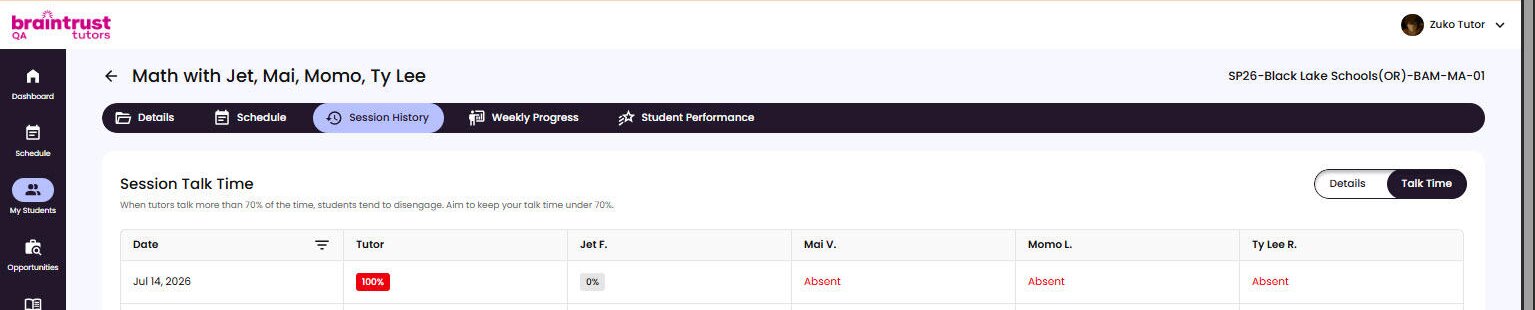
The Talk Time sub-tab shows how much each person spoke during a Session, as a percentage of the total Session time - one column for you and one for each student. Use it as a quick self-check after a Session.
The tab carries a coaching note: when a tutor talks more than 70% of the time, students tend to disengage, so aim to keep your talk time under 70%. Talk Time is available to Braintrust Tutoring tutors here in Session History.