Reading Your Student Roster
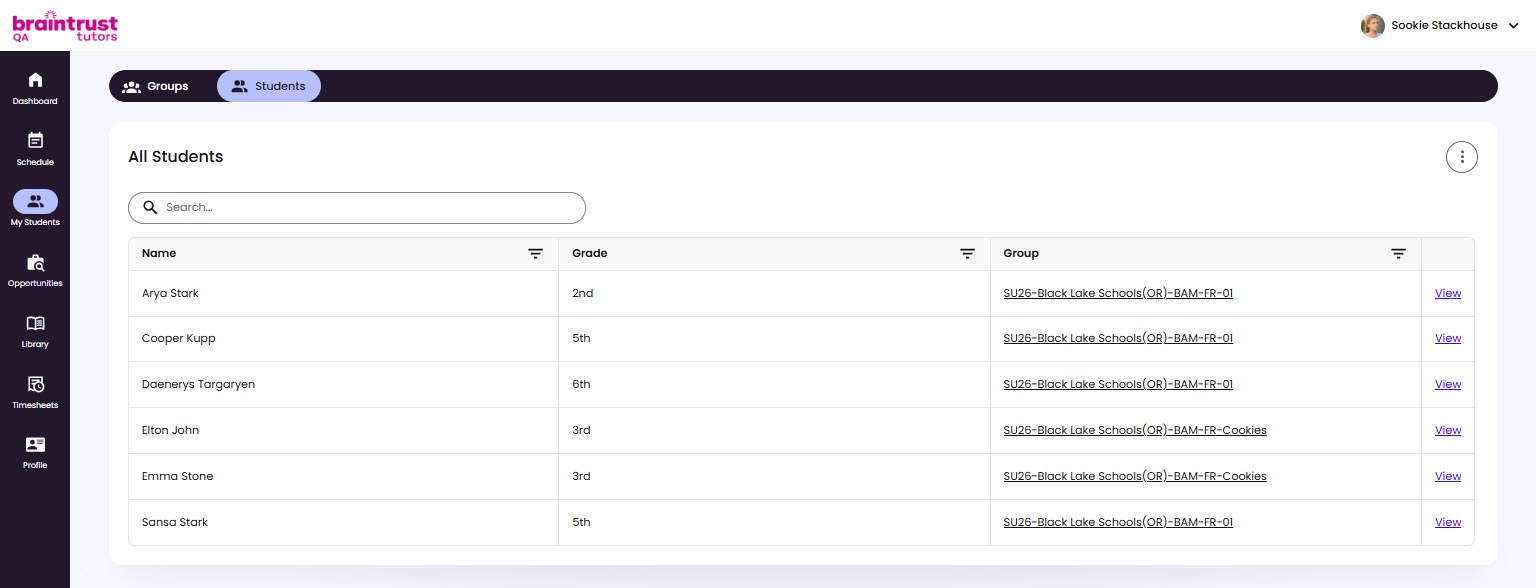
My Students is your roster - every student and group assigned to you, in one place. You can look at your students by group or as a full list.
Groups and Students Tabs
Two tabs at the top switch the view:
- Groups - your groups. Open a group to see its details, schedule, session history, and reports. See Opening a Group.
- Students - the All Students table, one row per student.
The All Students Table
The Students tab lists every student assigned to you:
- Name - the student’s name.
- Grade - the student’s grade level.
- Group - the group the student is in, linked so you can jump straight to it.
Use the search box to find a student by name, and click a column header to sort. Each row has a View link that opens that student.